Natural
C→Dm→G→C
Chords from C major move through preparation and tension, then return to C.
 MyChordBFF
Songwriting for iPhone
Build a chord progression, hear it on acoustic guitar, and try suggestions based on the chords you’ve chosen.
App Store release coming soon. For iPhone with iOS 17 or later.
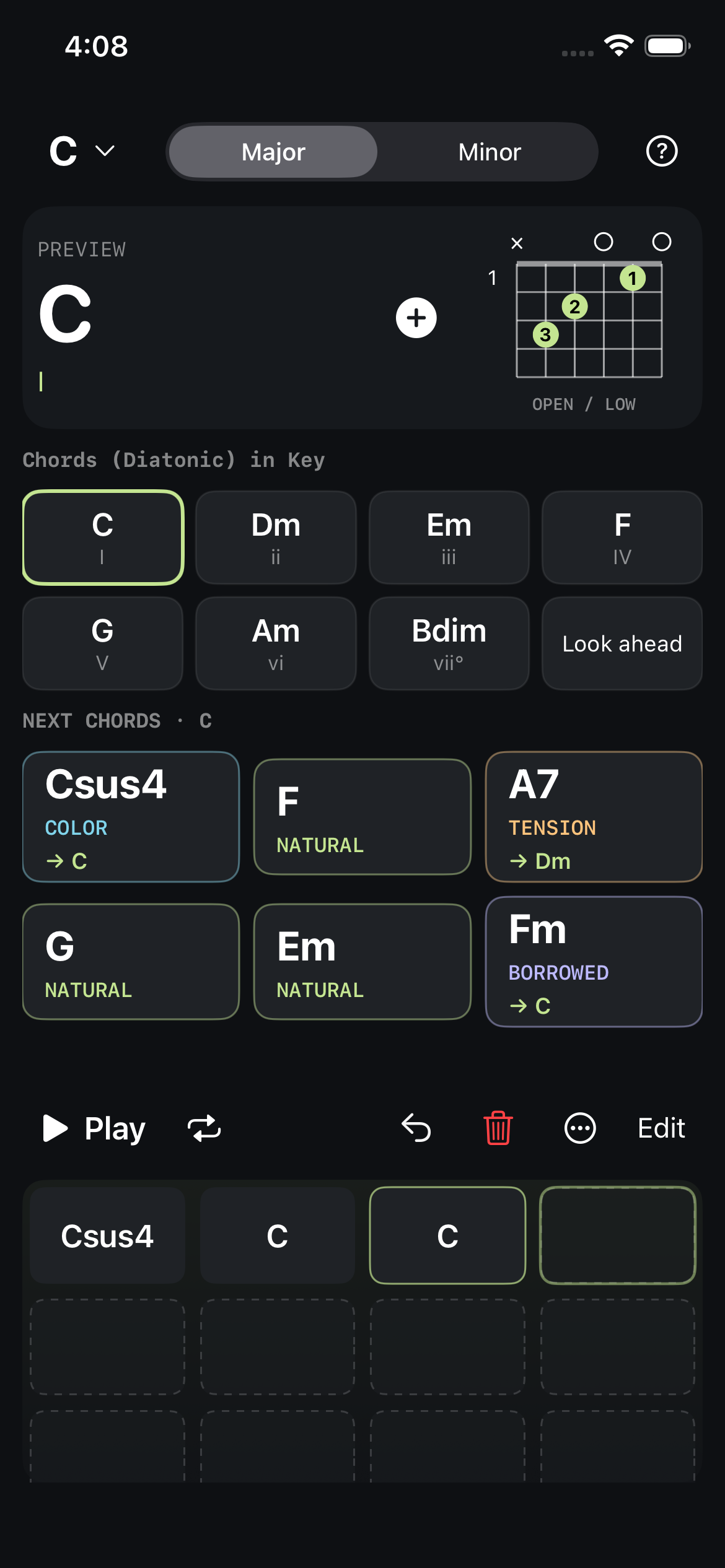
Chord suggestions
Suggestions follow music theory and established chord patterns. MyChordBFF does not use AI to generate music. You choose and arrange every chord. Here are three examples in C major.
Chords from C major move through preparation and tension, then return to C.
A7 introduces a note outside the key, creating a stronger pull toward Dm.
Fm borrows from C minor, adding a darker turn before the return to C.
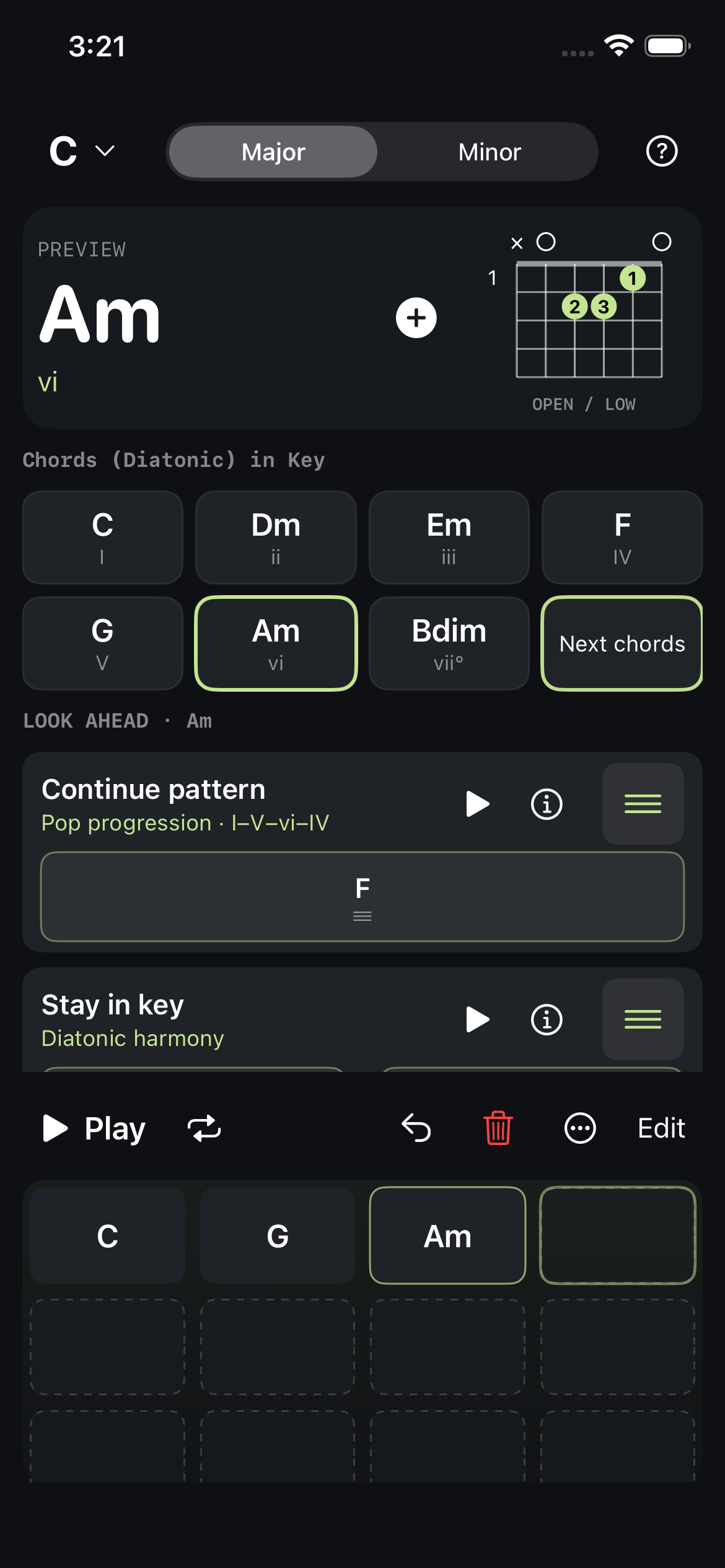
Look ahead
Look ahead offers short continuations based on harmonic relationships and common patterns. Listen to a route, then drag individual chords or the whole phrase into your progression.
Preview acoustic guitar chords and see their fingerings. Auditioning leaves your writing position in place.
Arrange up to 16 chords by touch. Reorder, undo, loop playback, save progressions, and share the chords as text.
Saved on your iPhone
Save named progressions and reopen them later. Writing and playback work offline. No account, ads, or subscription.